Clock Panel
Manage the game clock; and penalties and the player advantage for Hockey. Turn off the clock option to disable and hide the clock.
Only available with Hockey or Soccer.
Clock
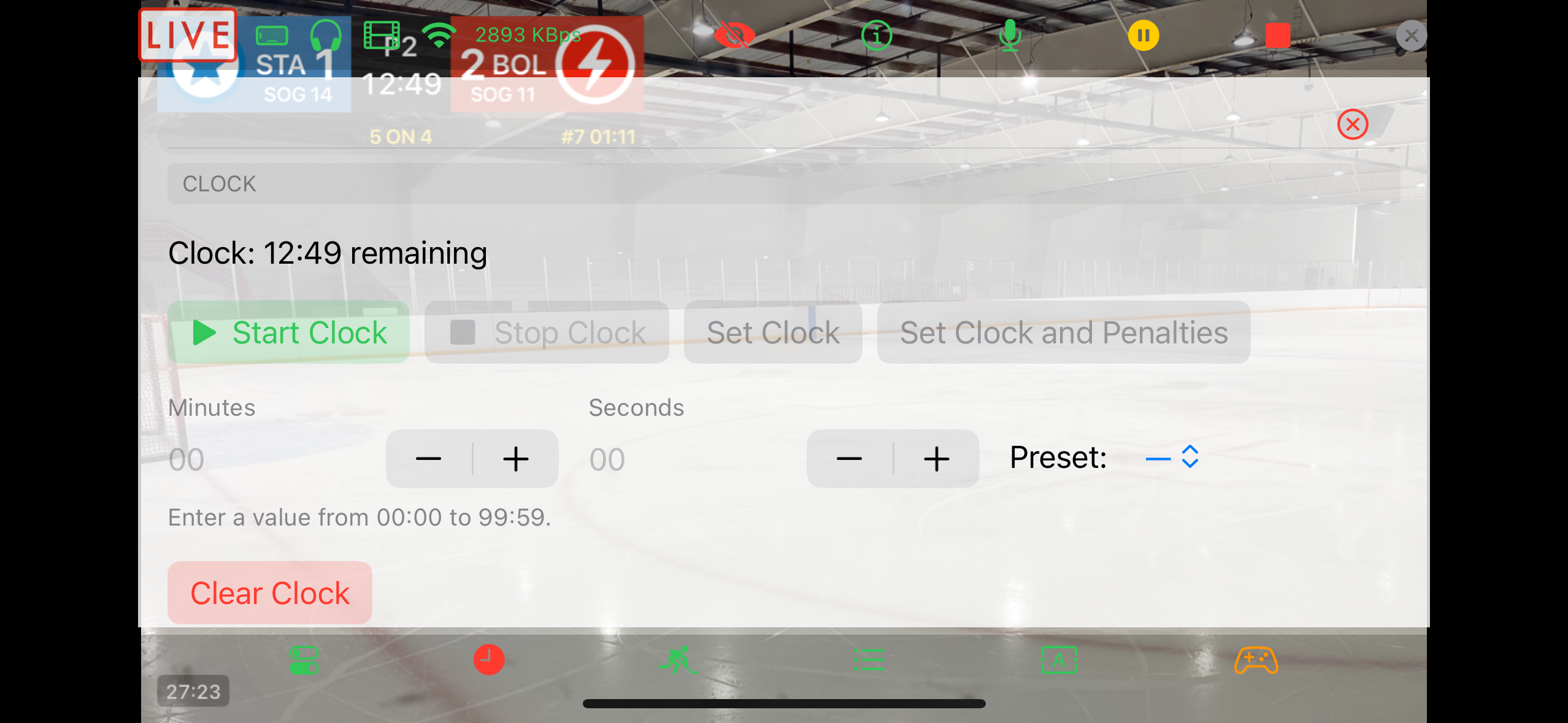
- Start Clock starts the game clock.
- Stop Clock stops the game clock.
The Game Clock can only be changed when the clock is stopped. Use the Preset menu (15m, 17m, 20m, etc) to quickly set common period lengths, or enter minutes and seconds directly in the text fields, then tap Set Clock.
The Game Clock runs down to 0. If you reset the Game Clock and there are active penalties, tap Set Clock and Penalties to keep the penalties in sync with the Game Clock.
- Clear Clock sets the Game Clock to 00:00.
Hockey Penalties
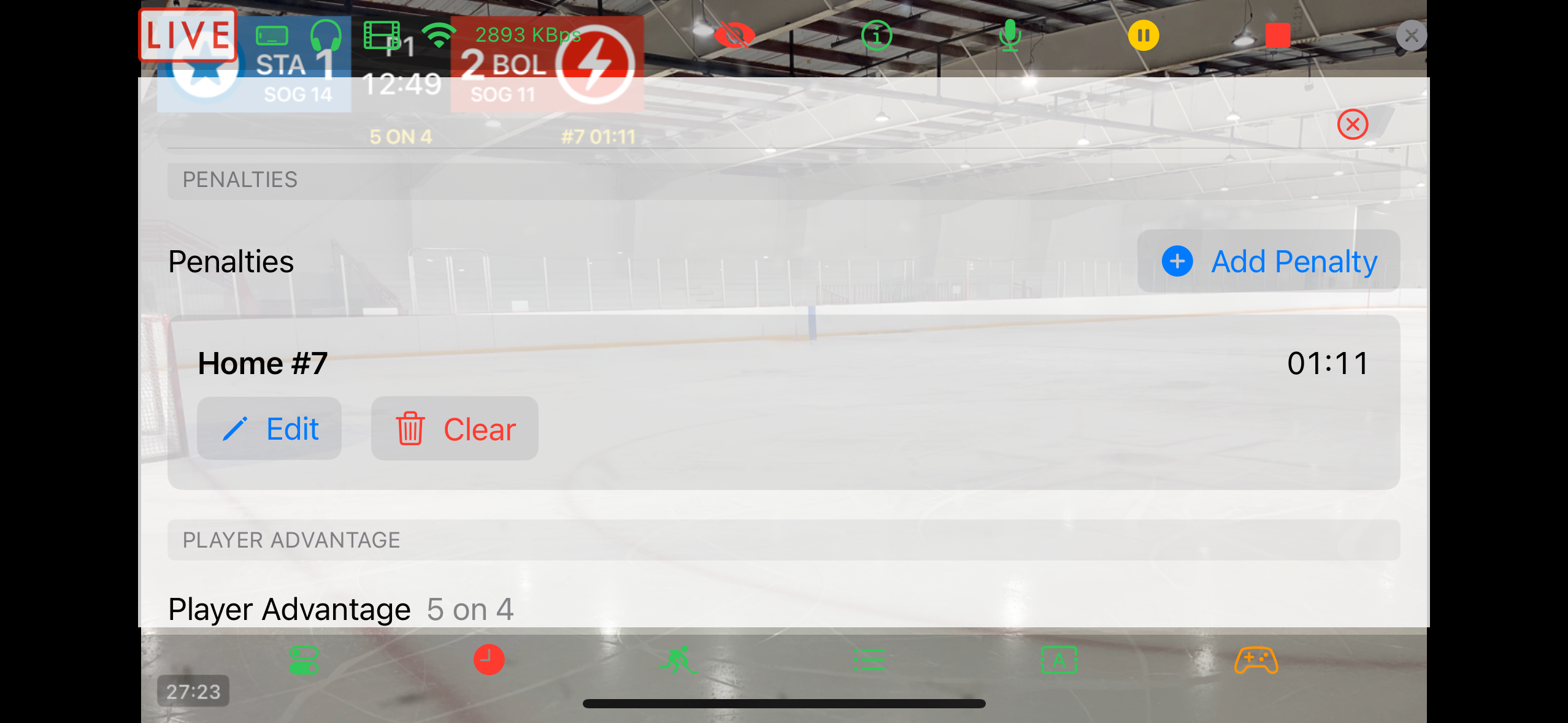
When the Penalties option is on, shows the list of current active penalties; each can be edited or cleared. Tap Add Penalty to bring up the dialog to add a new penalty.
Use the Preset menu (1:30m, 2m, 5m, etc) to quickly set common penalty lengths, or enter minutes and seconds directly in the text fields, then tap Save.
Use the double minor toggle to indicate a double minor. When the first minor expires or is cleared, it starts the clock on the second minor.
Penalty clocks run with the game clock. A penalty clock that goes to 0 expires and is removed. If a side has multiple penalties, a + will indicate that there are other penalties counting down.
When the Player Advantage option is set to Automatic, penalties affect the calculated player advantage. For example, one home penalty changes 5v5 to 5v4 (away power play).
Hockey Power Play and Player Advantage
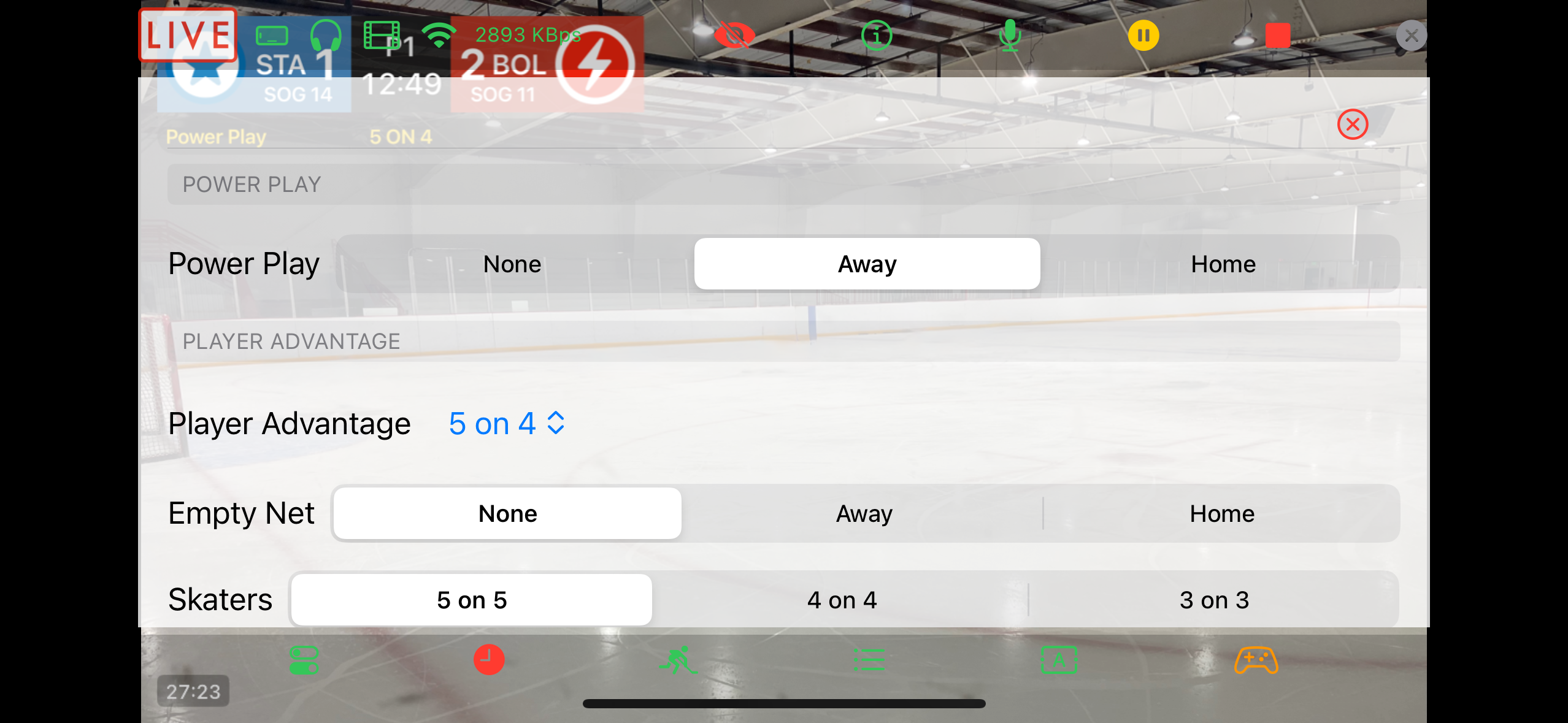
- Power Play selects a side for a power play if the Penalties option is off.
- Player Advantage select the on-ice strength. Disabled when the Player Advantage option is set to Automatic.
- Empty Net indicates which team has pulled their goalie. An empty net adds an extra skater for that team.
- Skaters sets the base number of skaters (5v5, 4v4, or 3v3).
Soccer Additional Time
Additional time will show to the right of the clock time in the scorebug.