Quick Control Bar
The Hockey Quick Control Bar is a compact floating panel that gives you one-tap access to the in-game controls without opening any panel.
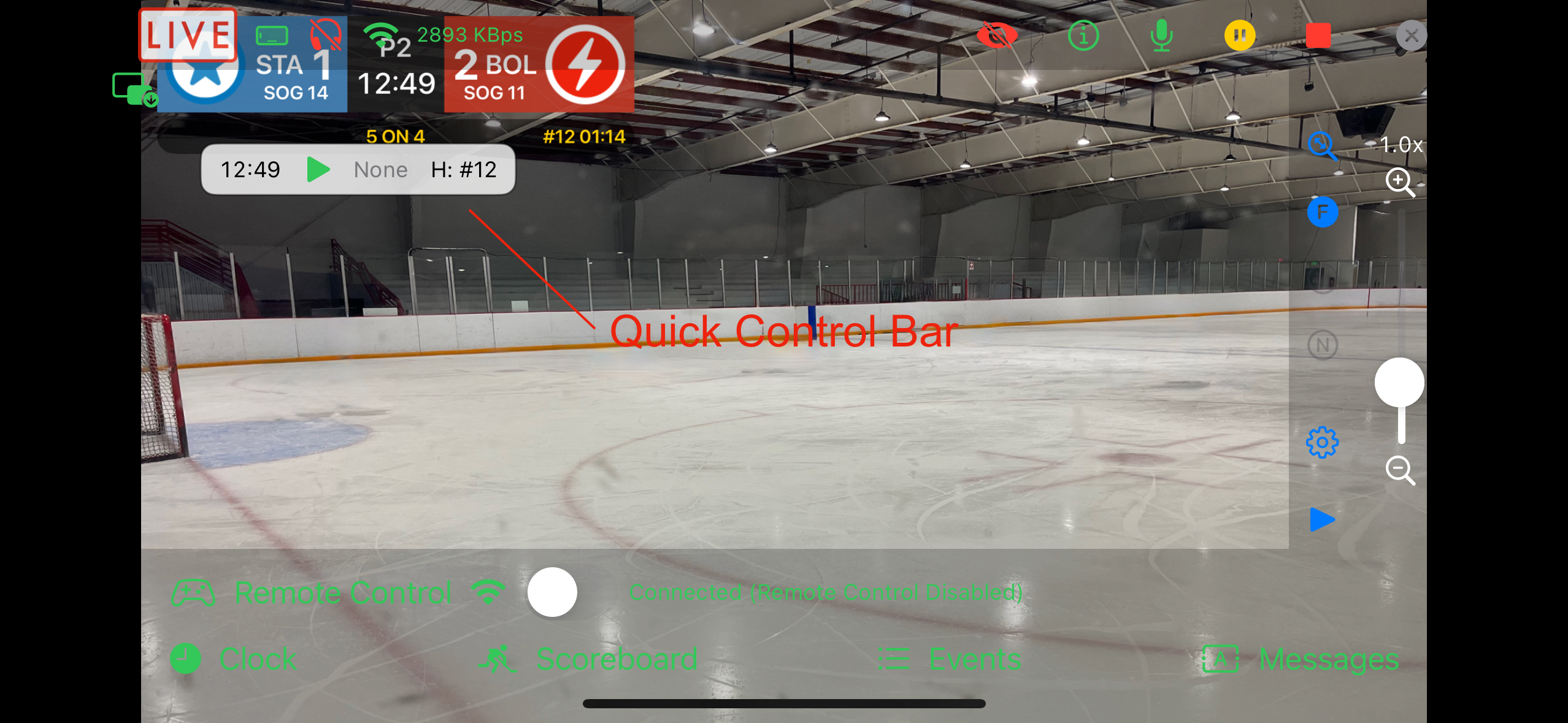
It is only available when using the Hockey scorebug and can be enabled or disabled in the Hockey ScoreBug settings on the Go Live confirmation step, or via the Quick Control Bar toggle in the Scoreboard Panel.
When the Clock Is Enabled
The bar shows:
- The current clock time.
- A Start/Stop button to run or pause the game clock.
- Active penalty clocks for Away and Home — tap a penalty to clear it.
If there are no active penalties, the display shows “None”.
When the Clock Is Disabled
The bar shows:
- Away PP — tap to toggle an Away power play on or off.
- Home PP — tap to toggle a Home power play on or off.
Visibility
The Quick Control Bar is hidden automatically when Remote Control is active, since those controls are managed from the Remote Control device.